
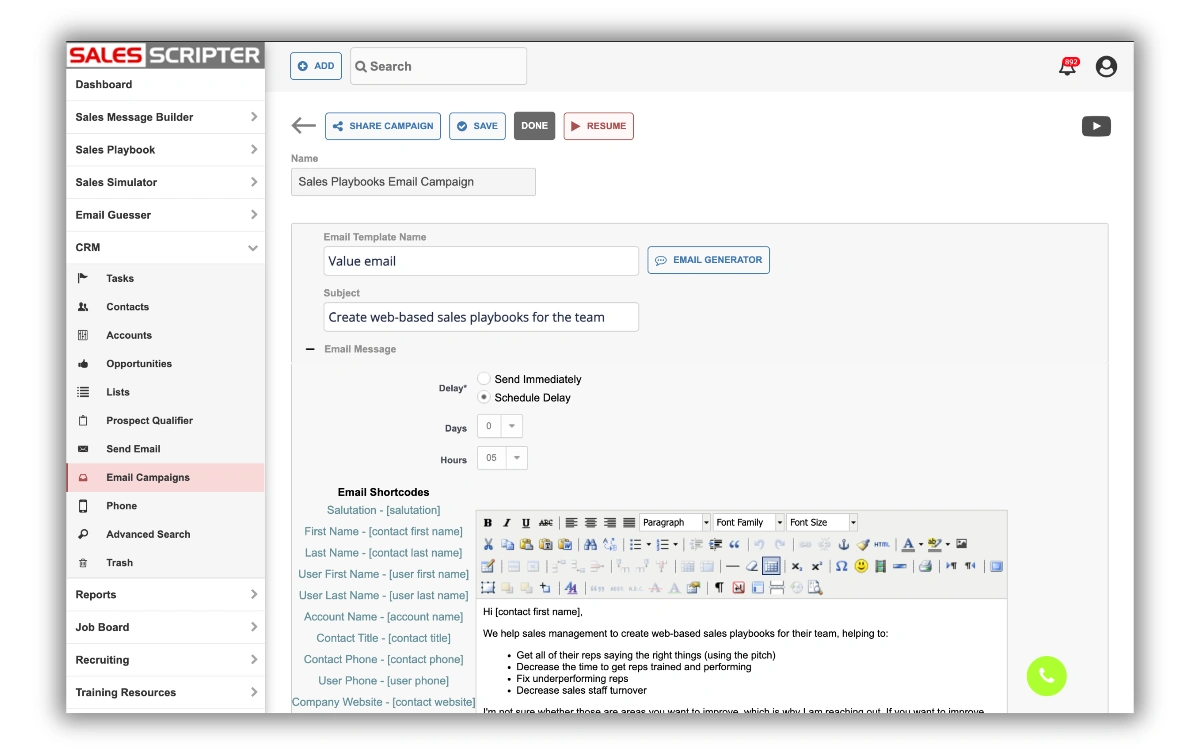
SalesScripter includes a full-functioning CRM. We did not start out as a CRM provider, but since our Sales Playbook includes email templates, it made sense to allow users to send and automate them. With that, we built a complete CRM, and below is a demo that shows how our CRM differs from other platforms.
Gamification
The Sales Scripter CRM includes gamification, where points are accrued for different actions performed by both the salesperson and the prospect. Here are some examples of the points that are generated and tracked by the gamification functionality:
- Emails sent – 1 point
- Emails opened – 1 point
- Email link clicked – 3 point
- Call made – 1 point
- Call answered – 1 point
- Meeting completed – 5 points
- Demo/presentation provided – 5 points
- Quote/proposal sent – 5 points
The points generated are displayed in a variety of different places in the CRM, and this will not only help to increase motivation across the sales team but also provide visibility for management in terms of what each rep is doing.
If you would like to see a demo of this feature, click here.
Prospect Qualifier
The CRM provides a feature called the Prospect Qualifier, which is an area that displays all of the questions that you can ask in order to fully qualify the prospect. Not only does this feature display all of the different questions you should be asking, but there is also a place to enter notes and score the prospect’s answer, enabling you to give a quantitative score for each prospect and opportunity.
If you would like to see a demo of this feature, click here.
Email Guesser
The Sales Scripter CRM includes a tool called the Email Guesser. This tool will combine the three values of First Name, Last Name, and Company Website to create the most common variations of business inbox email addresses for the contact and then perform a test ping on each combination to provide you with the contact’s business email address.
If you would like to see a demo of this feature, click here.
Sales Playbook
One way the Sales Scripter CRM differs from other CRMs is that it integrates with the Sales Scripter Sales Playbook. This means that when you are reaching out to contacts that are in the CRM, you will only be a couple of clicks away from a full library of call scripts, email templates, objection responses, and more.
If you would like to see a demo of this feature, click here.
Phone System and Dialer
The SalesScripter CRM provides an upgrade option that includes a built-in softphone. With this upgrade, there is dialer functionality that allows you to quickly dial and work down a list of prospects. See a demo and learn more about our phone system here.
Integrations
The Sales Scripter CRM integrates with many different CRM applications, allowing you to automatically send contacts and notes created from Sales Scripter to any other CRM that you might be using. Customers use this integration because they may already have a CRM application they’ve used for an extended period and want to augment it with SalesScripter CRM.
A couple of reasons a business may do this are that they may want their lead gen or SDR team to use the SalesScripter playbook, email automation, and CRM during outbound prospecting. With our integrations, this is easy to do because all of the data created by the sales team that is working on the SalesScripter side will be sent over automatically to the main CRM application database that the business is using.
For more information on our integration capabilities, click here.